

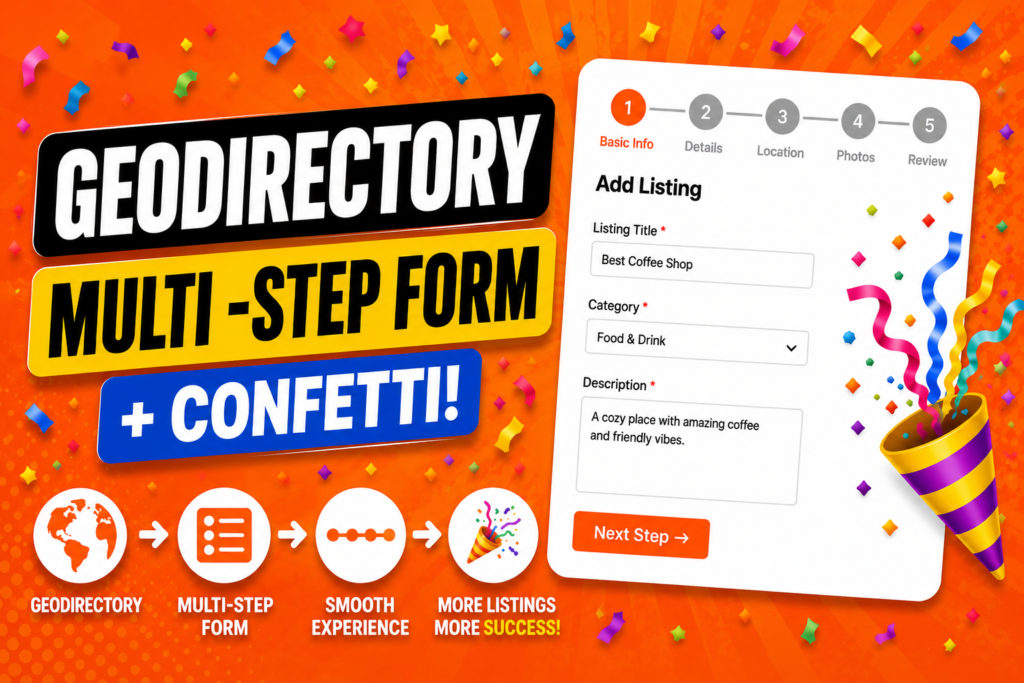
The Problem with Long GeoDirectory Listing Forms
If you’ve built a directory website using the popular GeoDirectory plugin for WordPress, you’ve likely noticed a friction point: the Add Listing form. Out of the box, GeoDirectory displays all fields — business name, address, category, hours, description, photos — on a single, scrolling page.
For users submitting a listing for the first time, this can feel like filling out a government document. They see a wall of fields and immediately wonder: How long is this going to take? Many simply abandon the form before hitting Submit.
| Did You Know? Multi-step forms can reduce form abandonment by up to 30% compared to single-page forms. Breaking a long process into smaller, guided chunks makes it feel manageable and less intimidating. |
This is exactly the problem that developer WPGeoBuddy set out to solve — and they’ve done it with two elegantly focused plugins that slot right into your existing GeoDirectory setup.
Meet the GeoBuddy Plugins
WPGeoBuddy has released two companion plugins designed specifically to elevate the listing submission experience on GeoDirectory-powered websites:
- GeoBuddy Multistep Form Transforms your listing form into a guided multi-step experience with a progress bar and form validation.
- GeoBuddy Confetti Fires a celebratory confetti animation when a user successfully submits their listing.
- Free Core Plugin Required Both add-ons require the free GeoBuddy core plugin, available on WordPress.org.
Together, these plugins transform what is often the most tedious part of a directory website into something that feels light, guided, and even fun.
GeoBuddy Multistep Form: Features & Setup
What It Does
The GeoBuddy Multistep Form plugin takes your existing GeoDirectory Add Listing form and automatically divides it into sequential steps. Users only see the fields for the current step, with a visual progress bar showing how far along they are in the process.
There is no need to rebuild your form from scratch — the plugin works with your existing field configuration inside GeoDirectory.
Key Features
- Progress Bar A clear visual indicator shows users exactly which step they’re on and how many remain.
- Form Validation Users cannot proceed to the next step until all required fields on the current step are filled in correctly.
- Back Navigation Users can freely move backwards to review or edit earlier steps without losing their entered data.
- Three Transition Styles Choose between slide, fade, or stepwise transitions to match your site’s personality.
- Custom Step Colors Customize the color of each step indicator to align with your brand identity.
| Pro Tip Use the ‘slide’ transition style for sites with a modern SaaS look, and ‘fade’ for more elegant, editorial-style directory websites. The stepwise option works well when users need clear visual separation between distinct sections. |
GeoBuddy Confetti: Celebrate Every Submission
The second plugin — GeoBuddy Confetti — addresses something equally important: the moment after the form is submitted.
In most directory setups, a successful form submission is met with a bland success message or a redirect. It’s anticlimactic. The GeoBuddy Confetti plugin changes that by triggering a burst of animated confetti across the screen, turning form completion into a small celebration.
Customization Options
- Emoji Selection Choose specific emojis for the confetti burst — use a building emoji for business listings, a star for events, and so on.
- Particle Count Adjust the number of particles in the animation — a subtle sprinkling or an all-out celebration.
- Animation Radius Control how wide the confetti spreads across the screen for different visual effects.
| Why This Matters for UX Positive reinforcement at the end of a task builds trust and satisfaction. Users who feel good about submitting a listing are more likely to return, submit another listing, or recommend your directory to others. |
Pricing Plans
Both plugins are available on the WPGeoBuddy website under annual subscription plans. These fees cover continuous updates to maintain compatibility with WordPress core and GeoDirectory plugin updates.
| Plan | Price / Year | Sites |
| Starter | $39 | 1 site |
| Popular | $59 | 5 sites |
| Agency | $99 | Unlimited |
For agencies or freelancers managing multiple client directory sites, the unlimited plan at $99/year offers strong value. The developer has noted that the annual fee model helps ensure both plugins stay compatible with WordPress and GeoDirectory as they continue to evolve.