

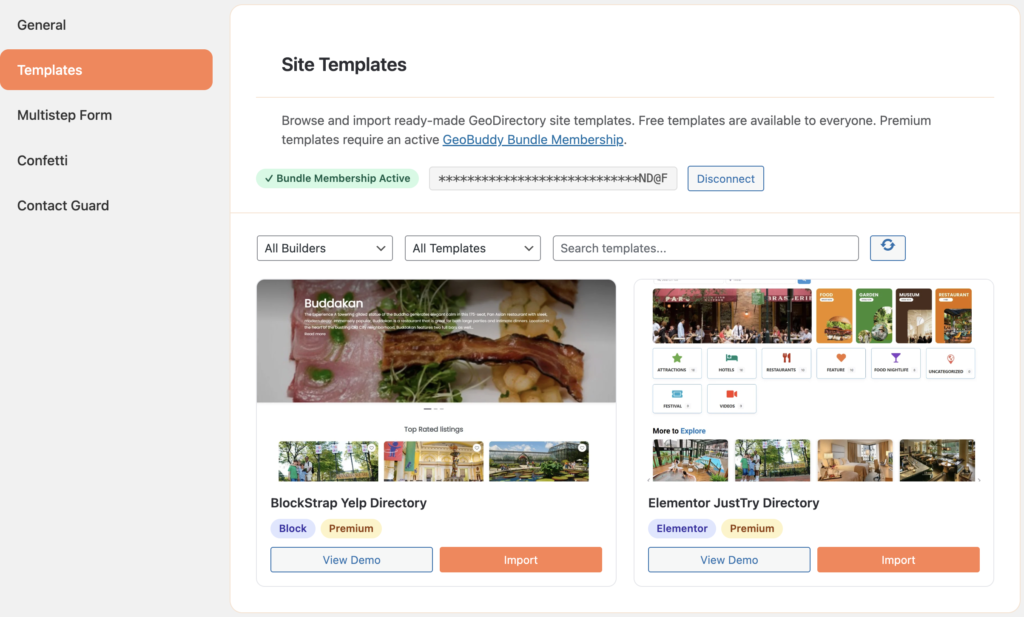
GeoBuddy includes a built-in Site Templates tab inside the Settings panel. It lets you browse and import fully functional, ready-made GeoDirectory demo sites directly from your WordPress admin — no manual setup required.
Each template gives you a complete, working directory site that you can customise to fit your needs — saving hours of setup time.
What gets imported #
A single template import handles everything automatically — you do not need to install themes, plugins, or import content separately:
- Required theme — auto-installed and activated
- Required plugins — auto-installed and activated
- Pages and content via WXR import
- Page builder data (Elementor or Block Theme)
- GeoDirectory categories, listings, and reviews
- GeoDirectory settings
- Navigation menus and homepage assignment
Supported page builders #
Templates are available for two page builder types:
- Elementor — for sites built with the Elementor page builder plugin
- Block Theme — for sites using native WordPress Full Site Editing (FSE)
You can filter templates by page builder type directly in the Site Templates tab to find the right match for your setup.
Free vs premium templates #
- Free templates — available to everyone with no account or license required.
- Premium templates — require an active GeoBuddy Bundle Membership license. Enter your license key directly in the Site Templates tab to unlock premium demos.
Import modes #
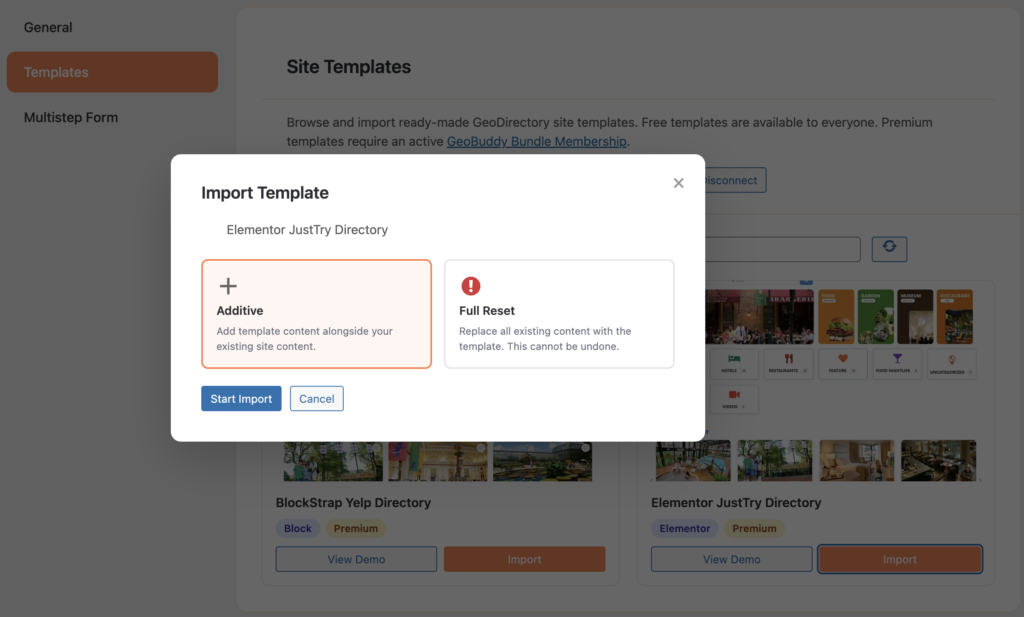
Before importing, GeoBuddy asks you to choose an import mode:
- Additive — adds the template content alongside your existing site. Your current posts, pages, and media are not affected. Safe for testing or adding a template to an existing site.
- Full Reset — replaces all existing content with the template. All current posts, pages, and media are permanently deleted. This cannot be undone — always back up your site before using Full Reset.
When to use Additive vs Full Reset #
| Situation | Recommended mode |
|---|---|
| Testing a template on an existing site | Additive |
| Starting a brand new directory from scratch | Full Reset |
| You have existing listings you want to keep | Additive |
| You want a clean slate with only the template content | Full Reset |


