

Skip to content
  • Home
  • Services
  • Membership
  • Products
  • Docs
  • Blog
  • Home
  • Services
  • Membership
  • Products
  • Docs
  • Blog
Download

WPGeoBuddy

by buddydevelopers

  • Home
  • Services
  • Membership
  • Products
  • Docs
  • Blog
  • Home
  • Services
  • Membership
  • Products
  • Docs
  • Blog
Book Free Consultation
Get Started

WPGeoBuddy

by buddydevelopers

WPGeoBuddy

by buddydevelopers

  • Home
  • Services
  • Membership
  • Products
  • Docs
  • Blog
  • Home
  • Services
  • Membership
  • Products
  • Docs
  • Blog
Book Free Consultation
Get Started

Getting Started

7
  • Updating GeoBuddy
  • Quick start checklist
  • System requirements
  • Understanding the dashboard
  • Initial configuration
  • Introduction to GeoBuddy
  • Installation & activation

GeoBuddy Core

4
  • GeoBuddy addons overview
  • Site templates — overview
  • Social media fields for listings
  • Core Features of GeoBuddy

Premium Addons

7
  • Broadcast Messages — Setup & Configuration
  • Announcement Bar — Setup & Configuration
  • Confetti — setup & configuration
  • Multistep Form — setup & configuration
  • Addon Troubleshooting
  • Weather Forecast — setup & configuration
  • Multistep Form Setup

Video Tutorials

4
  • GeoDirectory Shortcode/Blocks/Widgets
  • GeoDirectory Page Templates
  •  GeoDirectory Settings Walkthrough
  • Geodirectory Plugin Setup
View Categories
  • Home
  • Docs
  • GeoBuddy Core
  • GeoBuddy addons overview

GeoBuddy addons overview

1 min read

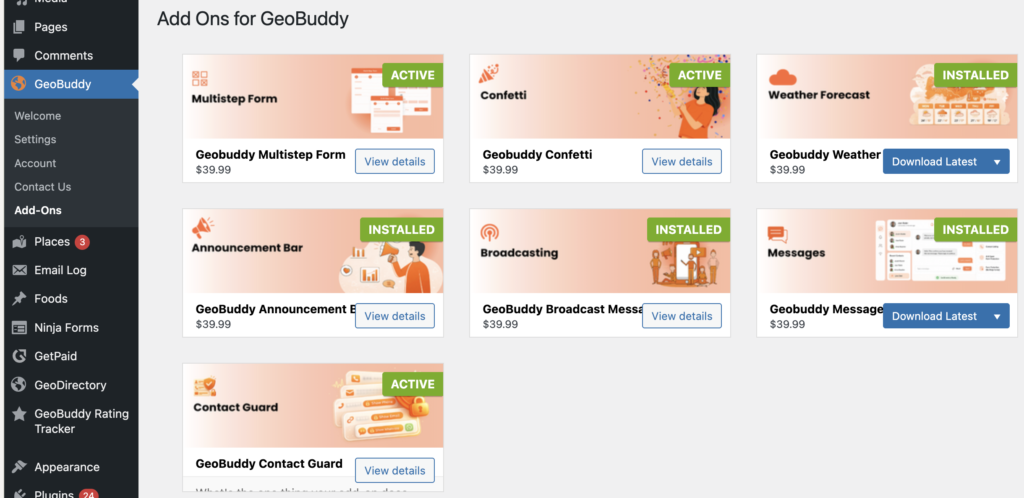
GeoBuddy is built as a platform — the core plugin handles social media fields, virtual tours, and site templates, while addons extend your directory with additional functionality. Each addon is installed separately and can be activated or deactivated independently.
Available addons #

Multistep Form #

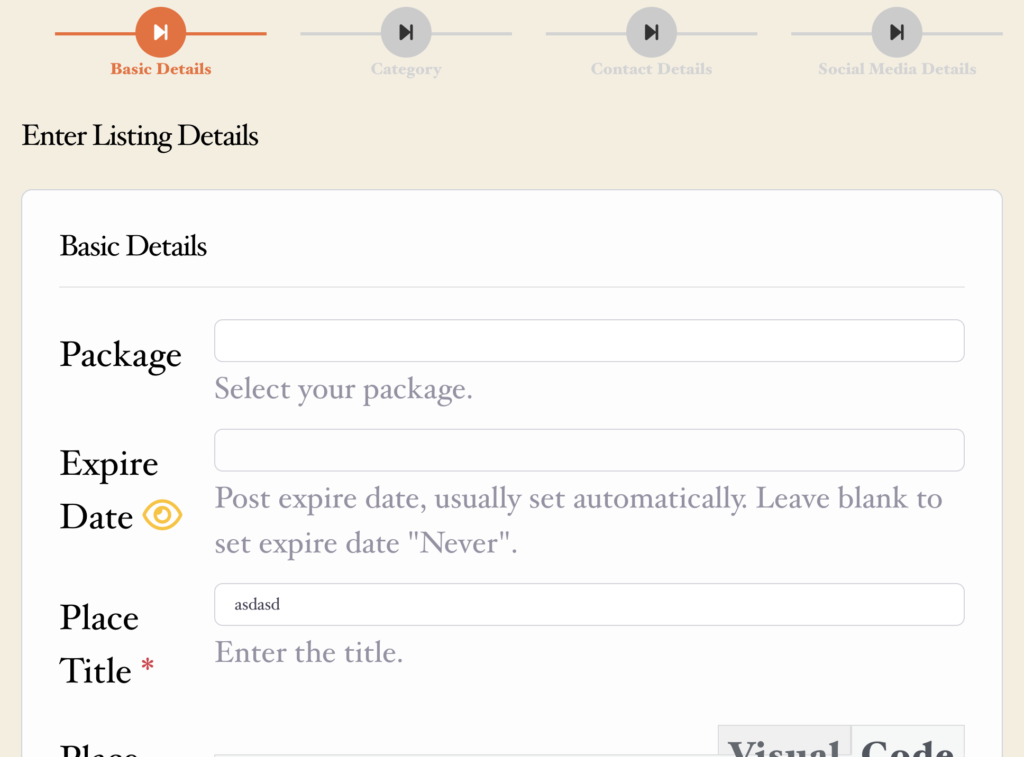
Transforms the default GeoDirectory “Add Listing” page into a clean, step-by-step submission flow with a progress bar. Breaking a long form into smaller steps reduces form abandonment and increases the rate at which listing owners complete their submissions.
Weather Forecast #

Displays real-time local weather data on listing pages based on the listing’s location. Useful for directories where weather is relevant to the visitor’s decision — such as outdoor venues, tourist attractions, or accommodation listings.

Front-end listing page showing a weather forecast widget with current temperature and conditions
📸 Screenshot: The Weather Forecast addon displaying real-time weather on a listing page.

Confetti #

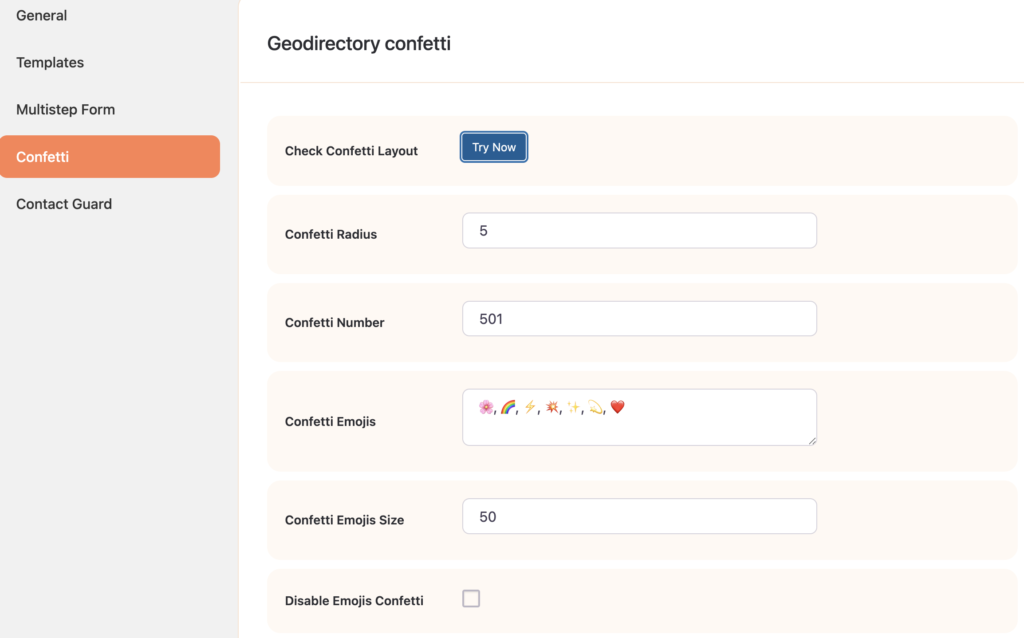
Triggers an animated confetti effect to celebrate successful listing submissions or other user actions. A small but effective way to improve the user experience and make the submission process feel rewarding.
Private Message #

Allows users and listing owners to communicate with each other directly through private messaging — without leaving your directory site. Keeps enquiries and conversations within your platform rather than sending users to external contact channels.

Front-end private messaging interface between a user and a listing owner on a directory site
📸 Screenshot: The Private Message addon — direct messaging between users and listing owners.

Announcement Bar #

Displays an important announcement banner across your directory website. Useful for communicating site-wide notices, promotions, or important updates to all visitors.

Front-end directory site showing an announcement bar at the top of the page with a customised message
📸 Screenshot: The Announcement Bar addon — a site-wide notice displayed at the top of the page.

Broadcasting #

Lets you send broadcast messages or notifications to selected users or listing owners. Useful for notifying listing owners about policy changes, new features, or expiring listings — directly from your WordPress admin.

GeoBuddy Broadcasting admin interface showing message composition and recipient selection options
📸 Screenshot: The Broadcasting addon — compose and send messages to selected users or listing owners from the admin.

Where to get addons #

All GeoBuddy addons are available from wpgeobuddy.com. Premium addons are included with an active GeoBuddy Bundle Membership, or can be purchased individually.

Installing an addon #

Addons are installed via ZIP file upload — the same as any WordPress plugin manual install:

  1. Download the addon ZIP file from wpgeobuddy.com.
  2. Go to Plugins → Add New Plugin → Upload Plugin.
  3. Select the ZIP file and click Install Now.
  4. Click Activate Plugin.

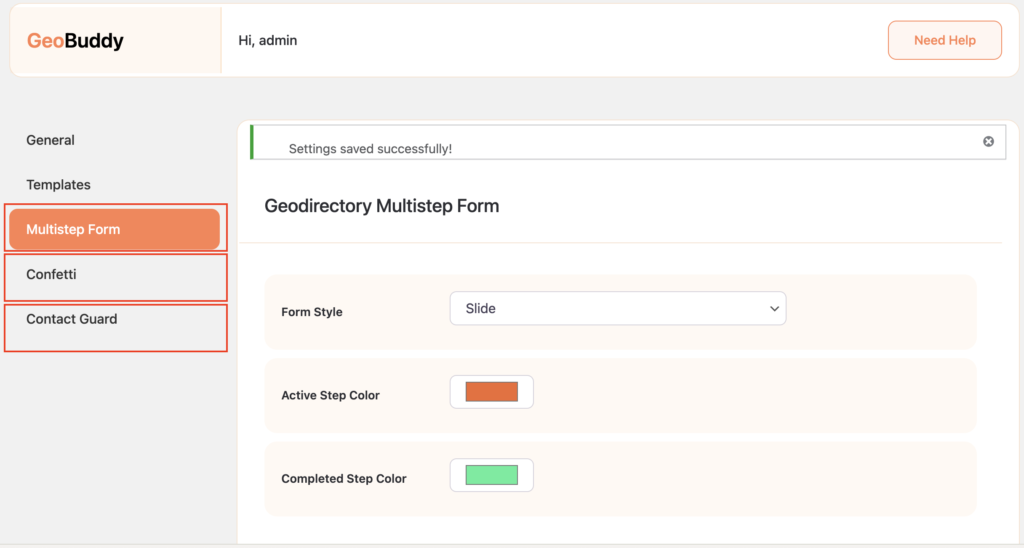
Once activated, each addon appears in the GeoBuddy → Add-Ons page and may add its own settings panel under the GeoBuddy menu.
Updated on May 16, 2026

What are your Feelings

  • Happy
  • Normal
  • Sad

Share This Article :

  • Facebook
  • X
  • LinkedIn
  • Pinterest
Core Features of GeoBuddySite templates — overview

Powered by BetterDocs

Leave a Reply Cancel reply

Your email address will not be published. Required fields are marked *

Table of Contents
  • Available addons
    • Multistep Form
    • Weather Forecast
    • Confetti
    • Private Message
    • Announcement Bar
    • Broadcasting
  • Where to get addons
  • Installing an addon

Stay Updated

Subscribe to our newsletter for the latest updates, tips, and exclusive offers.

WPGeoBuddy

by buddydevelopers

Professional GeoDirectory solutions for building and managing powerful directory websites.

Instagram

Products

  • GeoBuddy Plugin
  • Multistep Form
  • Confetti Addon
  • Weather Widget

Resources

  • Documentation
  • Blogs
  • Tutorials
  • API Reference
  • Community Forum

Company

  • About Us
  • Contact
  • Support
  • Privacy Policy
  • Terms of Service

© 2026 WPGeoBuddy. All rights reserved.

  • support@wpgeobuddy.com