

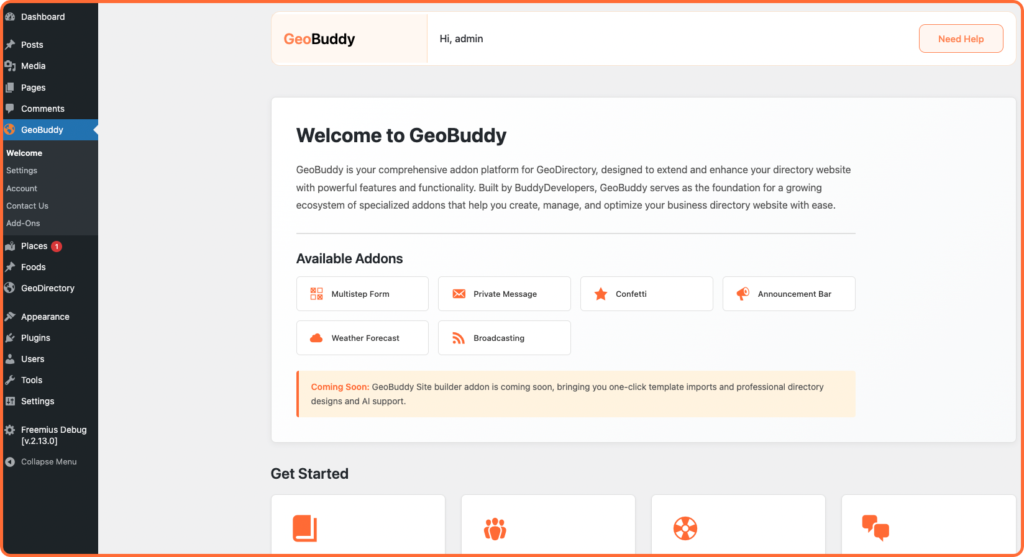
GeoBuddy is a free WordPress plugin built specifically for sites running GeoDirectory. It extends your directory with modern social media integration, virtual tours, one-click demo templates, and a growing ecosystem of addons — all designed to improve listing quality and user engagement.
Built by BuddyDevelopers, GeoBuddy acts as a foundation plugin that enables additional free and premium addons to seamlessly integrate with your GeoDirectory-powered website. Whether you are building a local business directory, a niche marketplace, or a global discovery platform, GeoBuddy gives you the tools to stand out.
Core features #
Social media fields for listings #
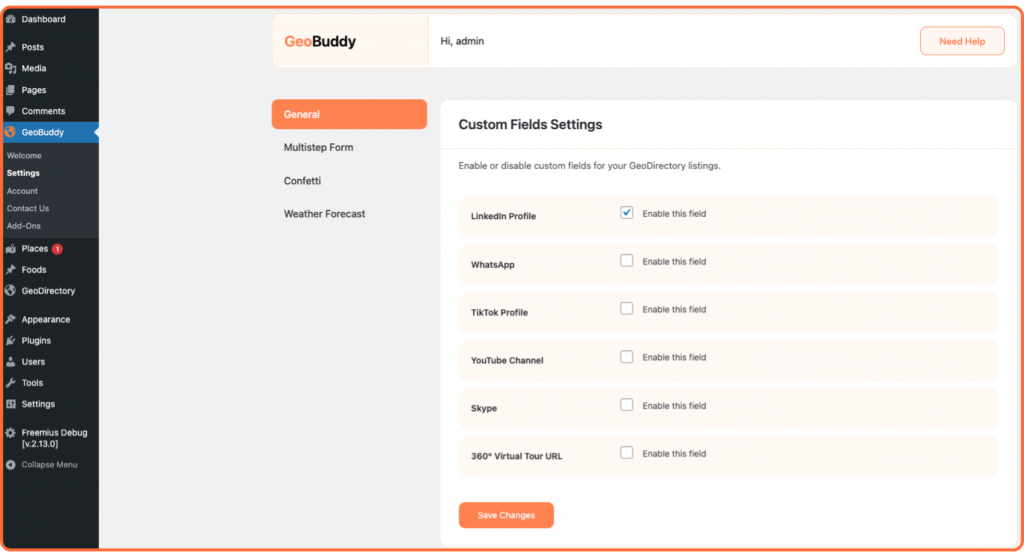
GeoBuddy adds modern social media profile fields directly inside GeoDirectory listings. Listing owners can display links to their:
- YouTube profile
- LinkedIn profile
- TikTok profile
This helps visitors connect with businesses instantly and improves listing credibility.
Virtual tour integration #
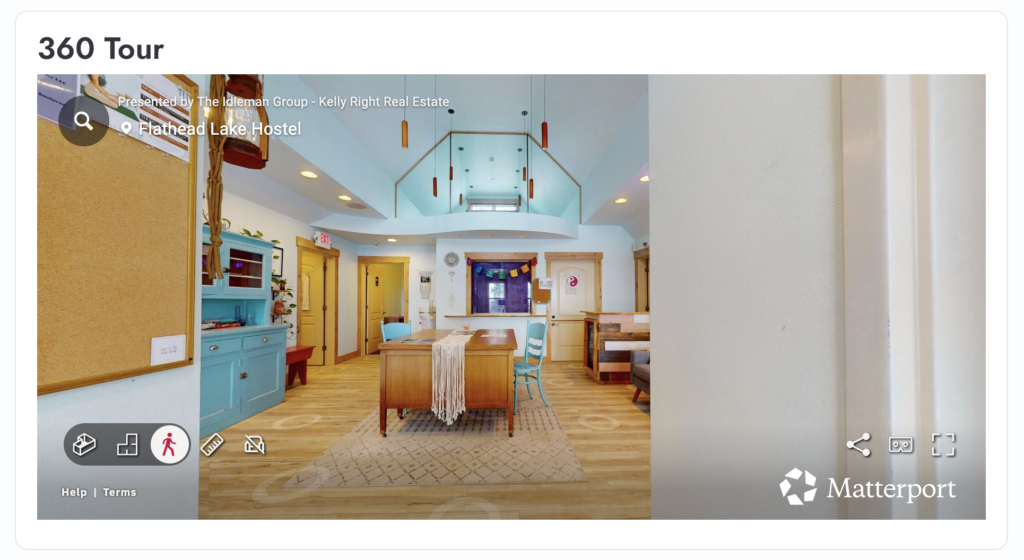
GeoBuddy lets listing owners embed a 360° virtual tour URL directly into their listing. This is ideal for restaurants, hotels, real estate properties, gyms, clinics, and any business where showing the space builds trust.
Site templates — one-click demo importer #
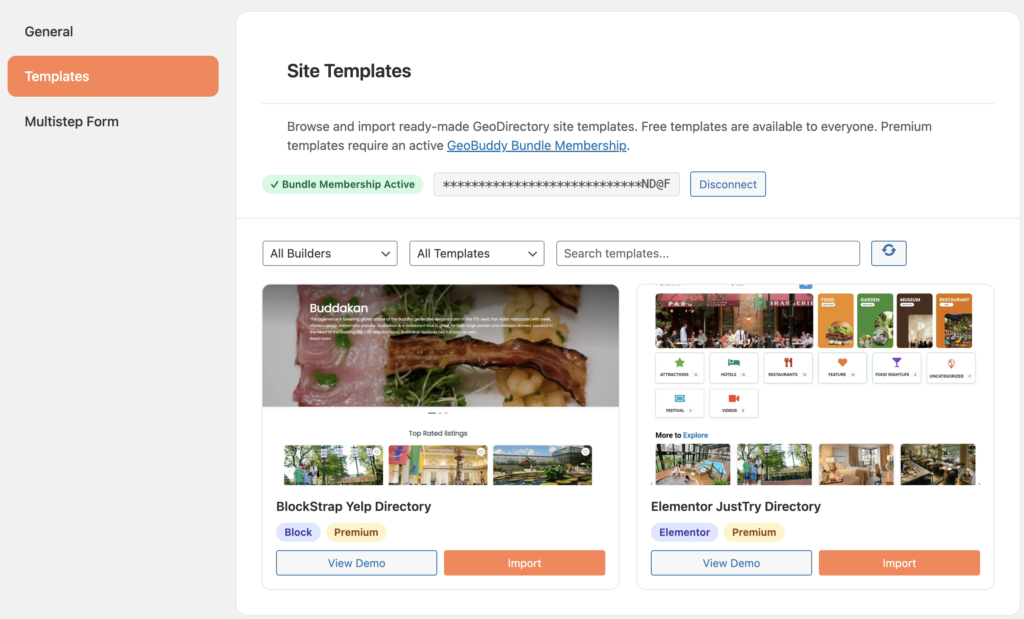
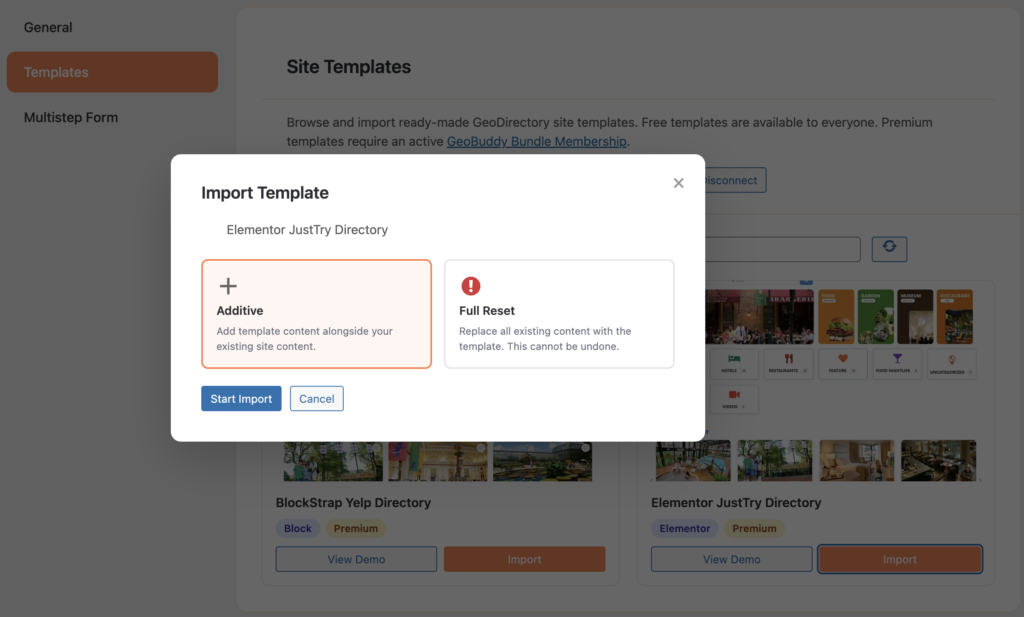
GeoBuddy includes a built-in Site Templates tab in the Settings panel. It lets you browse and import fully functional, ready-made GeoDirectory demo sites in just a few clicks.
Each template import handles everything automatically:
- Required theme — auto-installed and activated
- Required plugins — auto-installed and activated
- Pages and content via WXR import
- Page builder data (Elementor or Block Theme)
- GeoDirectory categories, listings, and reviews
- GeoDirectory settings
- Navigation menus and homepage assignment
Templates can be imported in two modes:
- Additive — adds the template content alongside your existing site. Safe for testing.
- Full Reset — replaces all existing content with the template. Requires confirmation. Cannot be undone — always back up first.
Available addons #
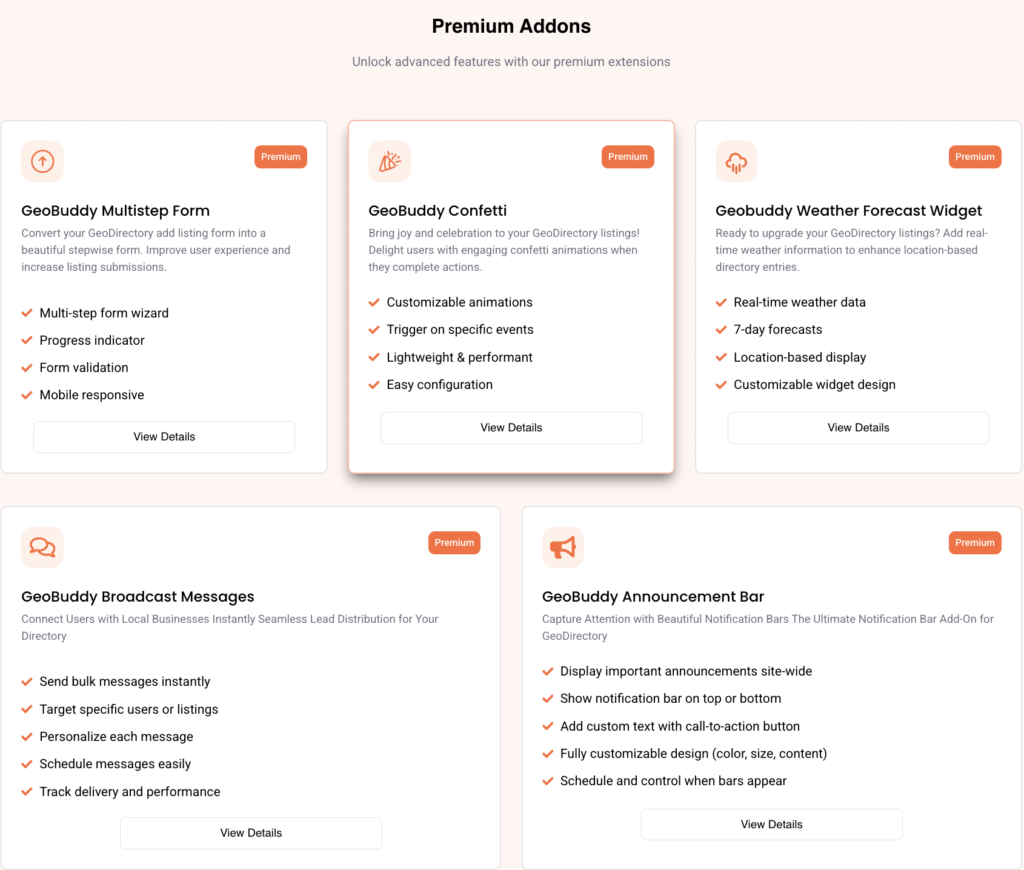
GeoBuddy is built as a platform. You can extend it further with the following addons:
- Multistep Form — turns the Add Listing page into a guided, step-by-step submission flow with a progress bar.
- Weather Forecast — shows real-time weather data on listing pages based on location.
- Confetti — celebrates successful listing submissions with animated confetti.
- Private Message — lets users and listing owners communicate directly.
- Announcement Bar — displays important announcements across your directory.
- Broadcasting — send notifications or messages to selected users or listing owners.
Prerequisite #
GeoBuddy requires the GeoDirectory plugin to be installed and active. It will not function as a standalone plugin. Install GeoDirectory first, then install GeoBuddy.
Free vs premium #
GeoBuddy core is free and available on WordPress.org. Free site templates are available to everyone with no account needed. Premium templates and addons require an active GeoBuddy Bundle Membership license, available from wpgeobuddy.com.


