

Skip to content
  • Home
  • Services
  • Membership
  • Products
  • Docs
  • Blog
  • Home
  • Services
  • Membership
  • Products
  • Docs
  • Blog
Download

WPGeoBuddy

by buddydevelopers

  • Home
  • Services
  • Membership
  • Products
  • Docs
  • Blog
  • Home
  • Services
  • Membership
  • Products
  • Docs
  • Blog
Book Free Consultation
Get Started

WPGeoBuddy

by buddydevelopers

WPGeoBuddy

by buddydevelopers

  • Home
  • Services
  • Membership
  • Products
  • Docs
  • Blog
  • Home
  • Services
  • Membership
  • Products
  • Docs
  • Blog
Book Free Consultation
Get Started

Getting Started

7
  • Updating GeoBuddy
  • Quick start checklist
  • System requirements
  • Understanding the dashboard
  • Initial configuration
  • Introduction to GeoBuddy
  • Installation & activation

GeoBuddy Core

4
  • GeoBuddy addons overview
  • Site templates — overview
  • Social media fields for listings
  • Core Features of GeoBuddy

Premium Addons

7
  • Broadcast Messages — Setup & Configuration
  • Announcement Bar — Setup & Configuration
  • Confetti — setup & configuration
  • Multistep Form — setup & configuration
  • Addon Troubleshooting
  • Weather Forecast — setup & configuration
  • Multistep Form Setup

Video Tutorials

4
  • GeoDirectory Shortcode/Blocks/Widgets
  • GeoDirectory Page Templates
  •  GeoDirectory Settings Walkthrough
  • Geodirectory Plugin Setup
View Categories
  • Home
  • Docs
  • GeoBuddy Core
  • Core Features of GeoBuddy

Core Features of GeoBuddy

1 min read

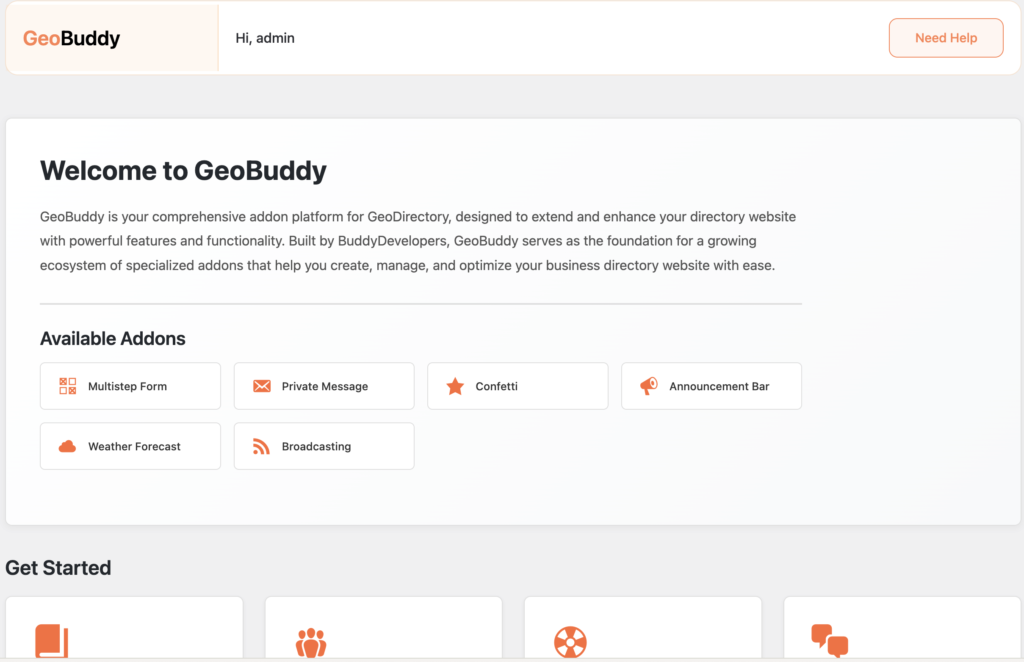
GeoBuddy extends GeoDirectory with three core features built into the plugin — social media fields for listings, virtual tour integration, and a one-click site template importer. These features are available to all users at no cost.
Social media fields for listings #

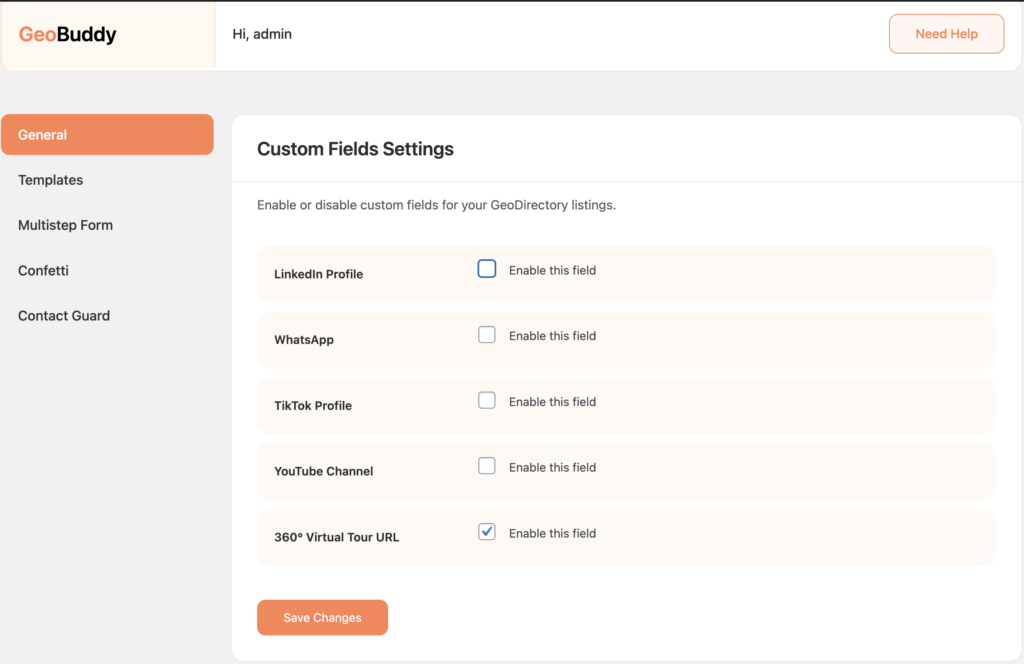
GeoBuddy adds social media profile link fields directly inside GeoDirectory listings. Listing owners can provide links to their YouTube, LinkedIn, WhatsApp, and TikTok profiles — allowing visitors to connect with businesses instantly and improving listing credibility.

Each field can be enabled or disabled individually in GeoBuddy → Settings → Custom Fields. Only enable the fields relevant to your directory’s audience.
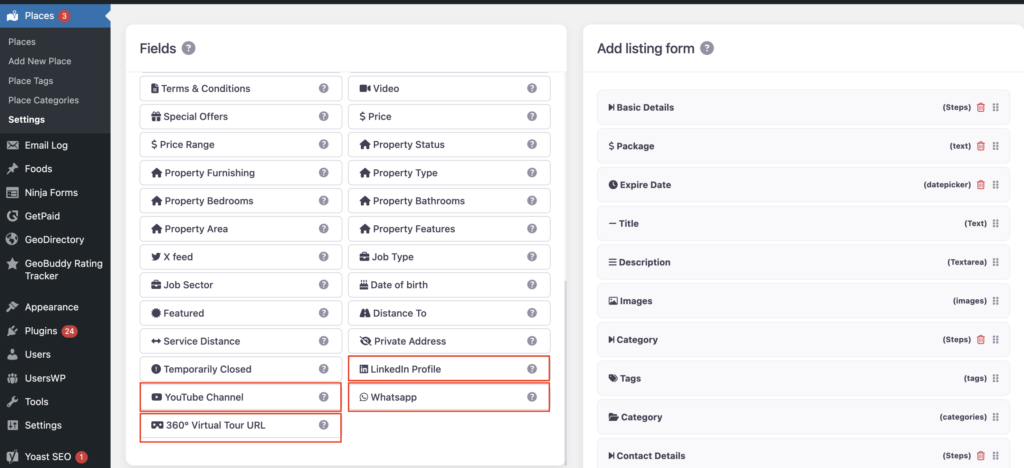
Once the field is enabled, it will be visible in Geodirectory → Settings → Custom Fields, and you can use it like other Geodirectory custom fields.
To display the data, you can use the GD > Post Meta block/shortcode.
Virtual tour integration #

GeoBuddy lets listing owners embed a 360° virtual tour URL directly into their listing. This is ideal for businesses where showing the physical space builds trust with potential customers — such as restaurants, hotels, real estate properties, gyms, and clinics.

The virtual tour field is enabled from GeoBuddy → Settings → Custom Fields alongside the social media fields.

Site templates — one-click demo importer #

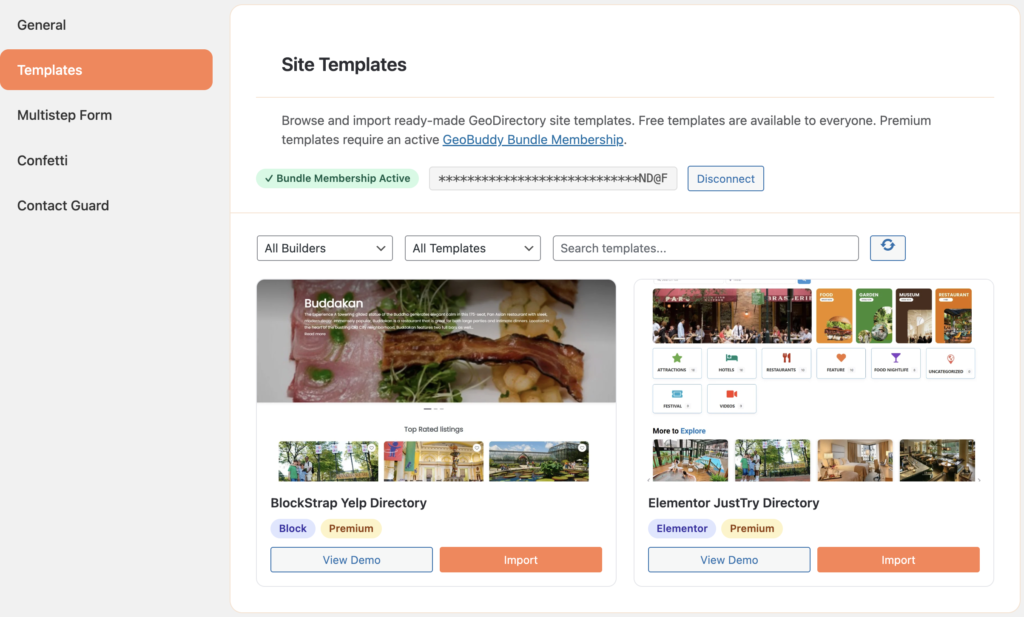
GeoBuddy includes a built-in Site Templates tab inside the Settings panel. It lets you browse and import fully functional, ready-made GeoDirectory demo sites in just a few clicks — including the theme, plugins, pages, GeoDirectory data, and navigation menus.

Free templates are available to all users. Premium templates require an active GeoBuddy Bundle Membership license.
Addon platform #

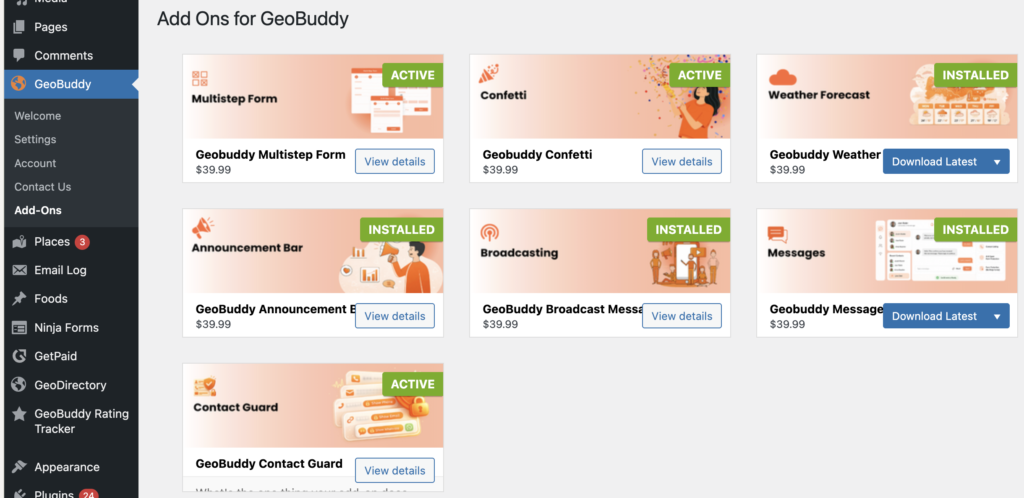
Beyond the core features, GeoBuddy acts as a foundation platform for additional free and premium add-ons. These addons extend your directory with features like multi-step listing forms, weather forecasts, private messaging, confetti animations, announcement bars, and broadcasting.
Updated on May 16, 2026

What are your Feelings

  • Happy
  • Normal
  • Sad

Share This Article :

  • Facebook
  • X
  • LinkedIn
  • Pinterest
Social media fields for listingsGeoBuddy addons overview

Powered by BetterDocs

Leave a Reply Cancel reply

Your email address will not be published. Required fields are marked *

Table of Contents
  • Social media fields for listings
  • Virtual tour integration
  • Site templates — one-click demo importer
  • Addon platform

Stay Updated

Subscribe to our newsletter for the latest updates, tips, and exclusive offers.

WPGeoBuddy

by buddydevelopers

Professional GeoDirectory solutions for building and managing powerful directory websites.

Instagram

Products

  • GeoBuddy Plugin
  • Multistep Form
  • Confetti Addon
  • Weather Widget

Resources

  • Documentation
  • Blogs
  • Tutorials
  • API Reference
  • Community Forum

Company

  • About Us
  • Contact
  • Support
  • Privacy Policy
  • Terms of Service

© 2026 WPGeoBuddy. All rights reserved.

  • support@wpgeobuddy.com